Local build scan UI walkthrough
This walkthrough runs the server locally, publishes a real Gradle build scan from the repository’s gradle/ example project, and shows the UI pages you should expect to see afterward.
The screenshots on this page were captured from a local run against http://localhost:3000.
1. Start the server
Section titled “1. Start the server”From the repository root, start the server on port 3000:
PORT=3000 BASE_URL=http://localhost:3000 bazel run //build-scan/server/src:mainWhen the server is ready, it serves the web UI from http://localhost:3000/web/.
2. Publish an example build scan
Section titled “2. Publish an example build scan”In a second shell, run the Gradle dogfooding project and point it at your local server:
cd gradleDEVELOCITY_SERVER_URL=http://localhost:3000 ./gradlew clean test --rerun --no-build-cacheUsing --rerun --no-build-cache forces test execution so the uploaded scan includes both task and test data.
At the end of the build, Gradle prints a local scan URL similar to this:
http://localhost:3000/web/scans/<scan-id>If you start the server on a different port, update DEVELOCITY_SERVER_URL to match.
3. Open the scan list
Section titled “3. Open the scan list”The scan list lives at /web/scans and shows every uploaded build scan.
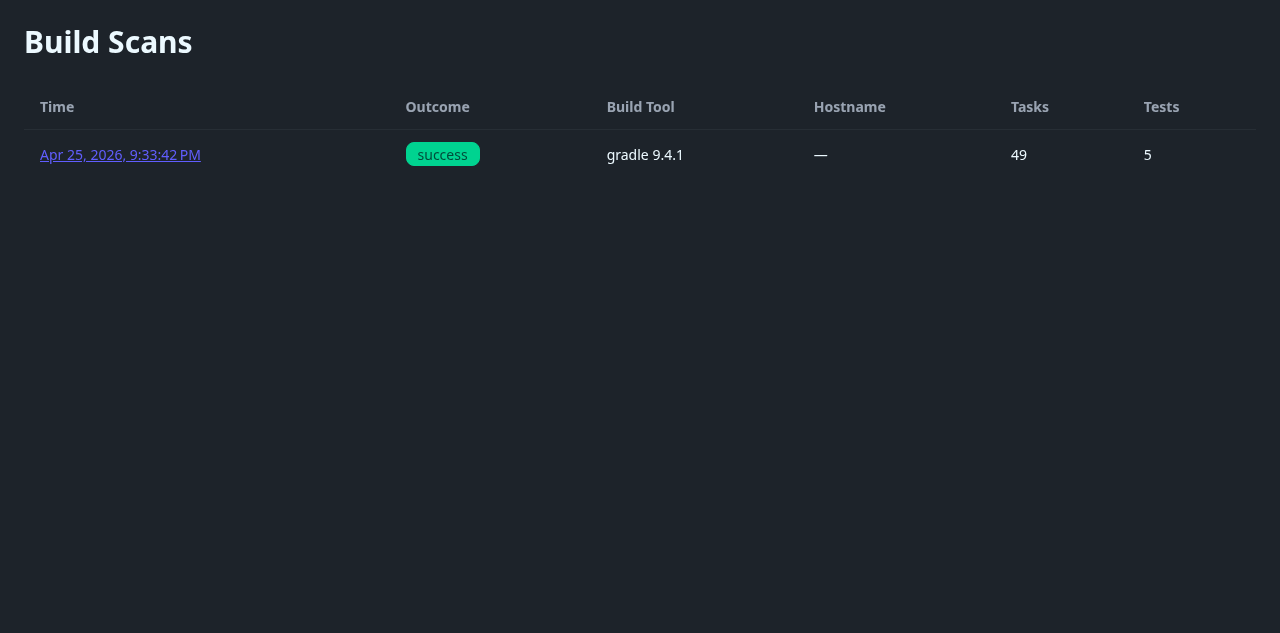
This page is useful for confirming that your upload succeeded and for checking high-level stats like outcome, build tool version, task count, and test count.
4. Open a scan detail page
Section titled “4. Open a scan detail page”Select a row from the scan list to open /web/scans/<scan-id>.
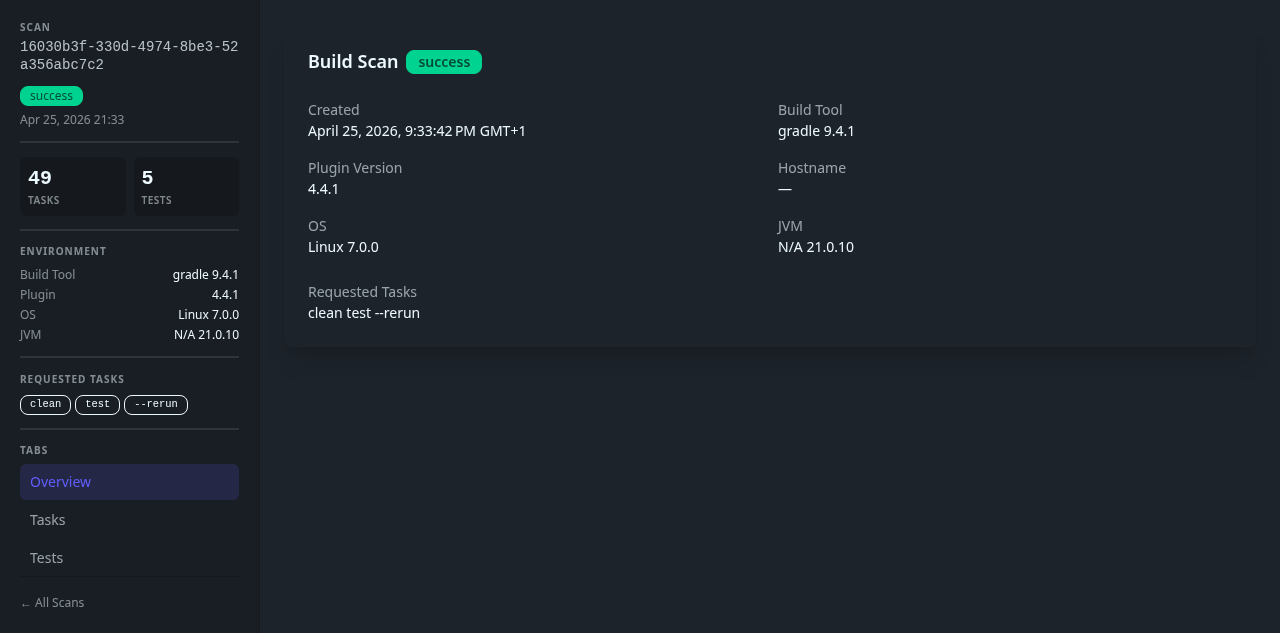
The overview page shows the scan outcome, timestamps, requested tasks, plugin version, host, OS, and JVM details.
5. Review task data
Section titled “5. Review task data”Open the Tasks tab in the scan sidebar to inspect execution details.
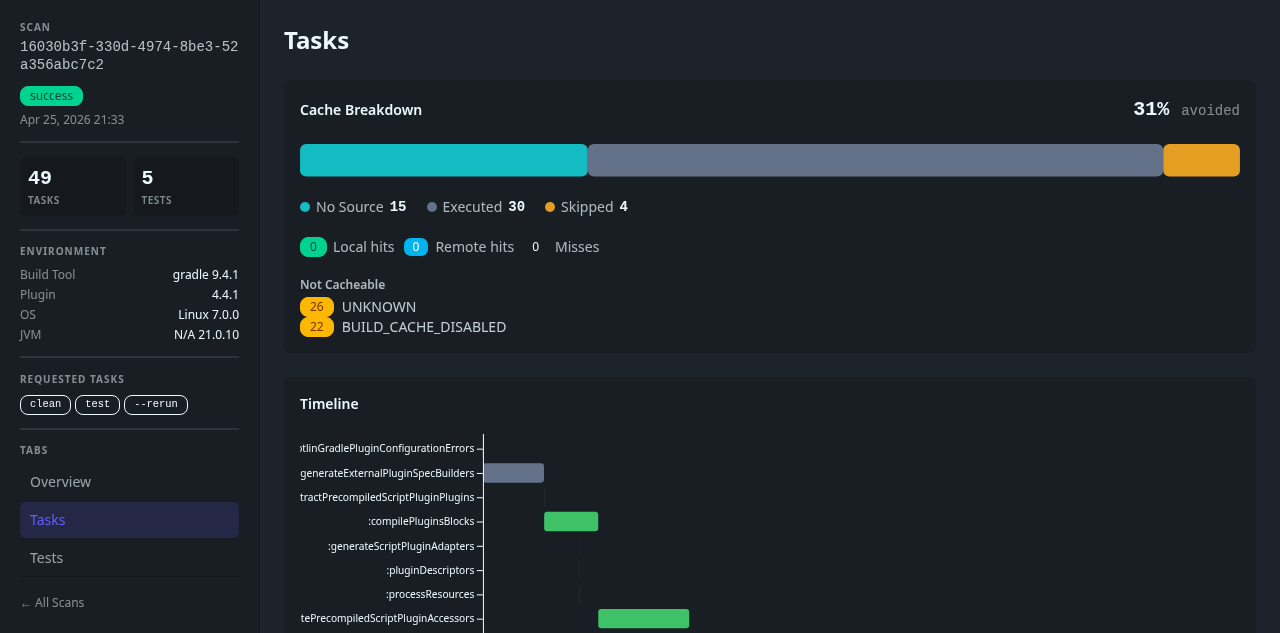
This view combines the cache breakdown, aggregate task statistics, a timeline, and the task table for the selected scan.
6. Review test data
Section titled “6. Review test data”Open the Tests tab to inspect test results for the same scan.
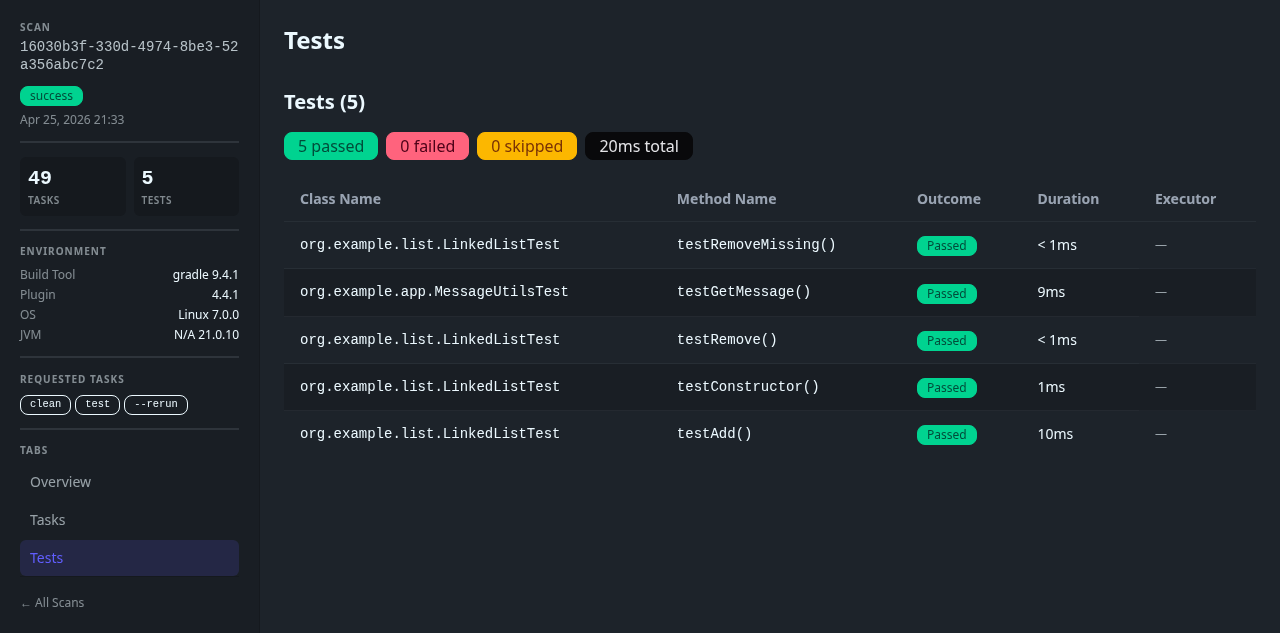
This view shows the test summary badges as well as the individual test cases captured from the Gradle run.
Routes involved
Section titled “Routes involved”/web/scans— scan list/web/scans/<scan-id>— scan detail view/web/graphql— GraphQL endpoint used by the SPA
The Angular router itself defines /scans and /scans/:id, but the Rust server mounts the SPA under /web, so the browser-facing URLs include that prefix.